Small image jobs.
Done in a blink.
Transform an image, download the result, and move on. Your uploads are processed in memory and are not saved by these free tools.
Across every free tool · resets at 00:00 UTC
Choose what you need
Every successful transformation uses one of the same three daily uses. Invalid uploads and failed operations do not count.
Background Remover
Remove a photo background with AI and download a transparent PNG.
Image Resizer
Resize an image to exact pixel dimensions while preserving its proportions.
Image Cropper
Crop a photo to a social, portrait, landscape, or square aspect ratio.
Image Compressor
Reduce a photo's file size with an adjustable quality setting.
Image Converter
Convert an image between JPG, PNG, and WEBP formats.
Image Upscaler
Upscale and sharpen a low-resolution photo with a neural network.
Image Downscaler
Reduce image dimensions while keeping the original aspect ratio.
Profile Picture Maker
Create a centered circular profile photo with a transparent background.
Collage Maker
Arrange two to four photos into a clean downloadable grid.
Image Combiner
Join two to four images horizontally or vertically.
Rotate Image
Rotate a photo by 90, 180, or 270 degrees.
Mirror Image
Flip an image horizontally or vertically.
Grayscale Photo
Turn a color photo into a clean monochrome image.
Photo Border
Add a solid border around an image with your chosen color and width.
HEIC to JPG
Convert an iPhone HEIC or HEIF photo into a widely supported JPG.
HEIC to PNG
Convert an iPhone HEIC or HEIF photo into a lossless PNG.
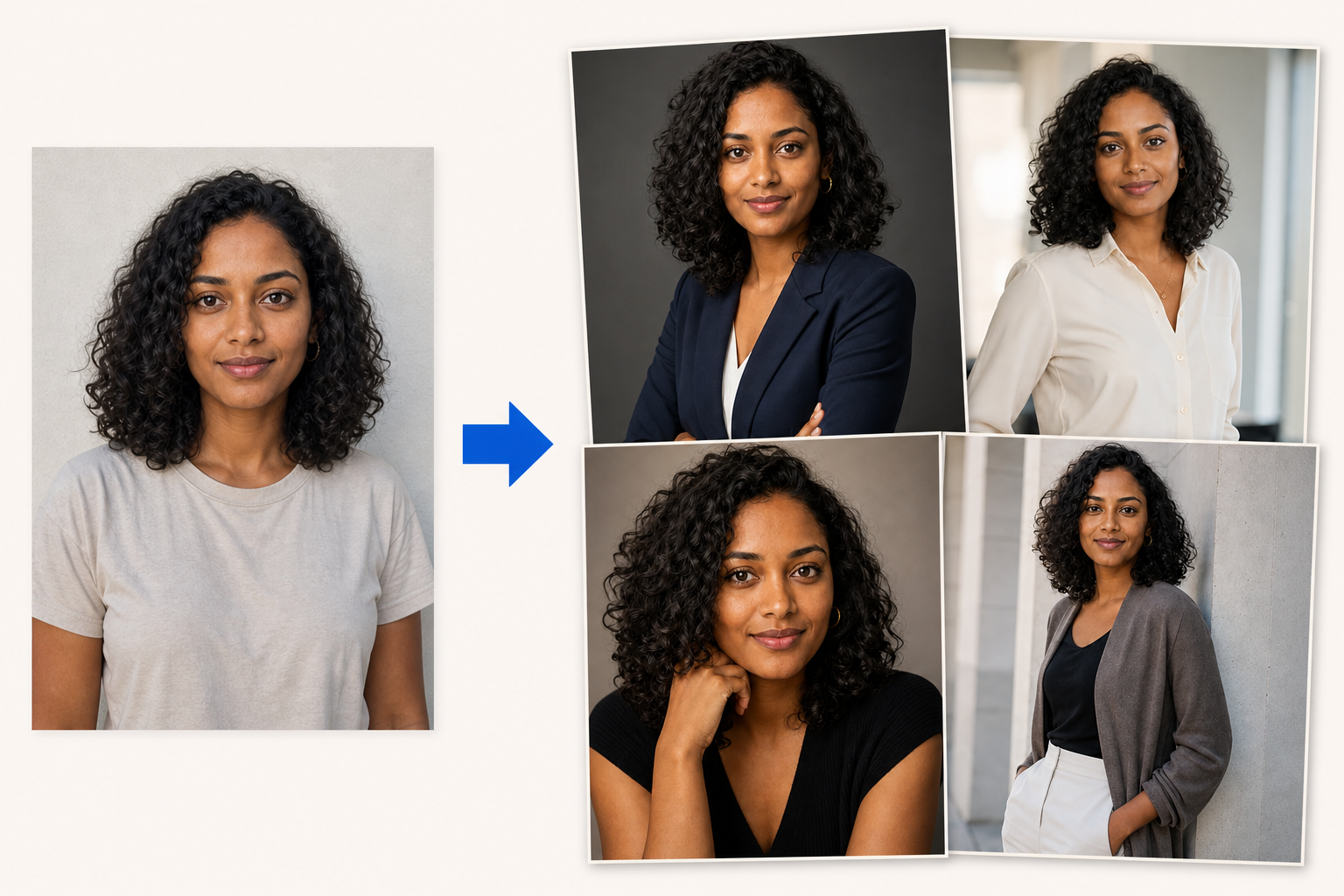
Upload one clear photo. Create 3–50 new photos of you.
GenBlink keeps the same recognizable person at the center while changing the setting, outfit, pose, framing, and light across a coordinated photo pack.
Want unlimited AI photos of yourself?
Photo packs are not restricted by the free-tools daily limit. Generate as many successful photos as your purchased credit balance allows—without a subscription.