How many source photos?
One portrait is fast. Multiple selfies may provide more identity information. Neither removes the normal variability of AI output.
Some tools begin with a blank prompt. Others train a model, specialize in headshots, or ask you to assemble the workflow yourself. This guide compares the shape of the experience—not just the final image.
Choose GenBlink when you want a themed set of photos from one portrait with a simple pack flow. Choose a general generator for open-ended editing, a headshot specialist for business-only results, or a DIY workflow when technical control matters more than convenience.
GenBlink keeps the same recognizable person at the center while changing the setting, outfit, pose, framing, and light across a coordinated photo pack.
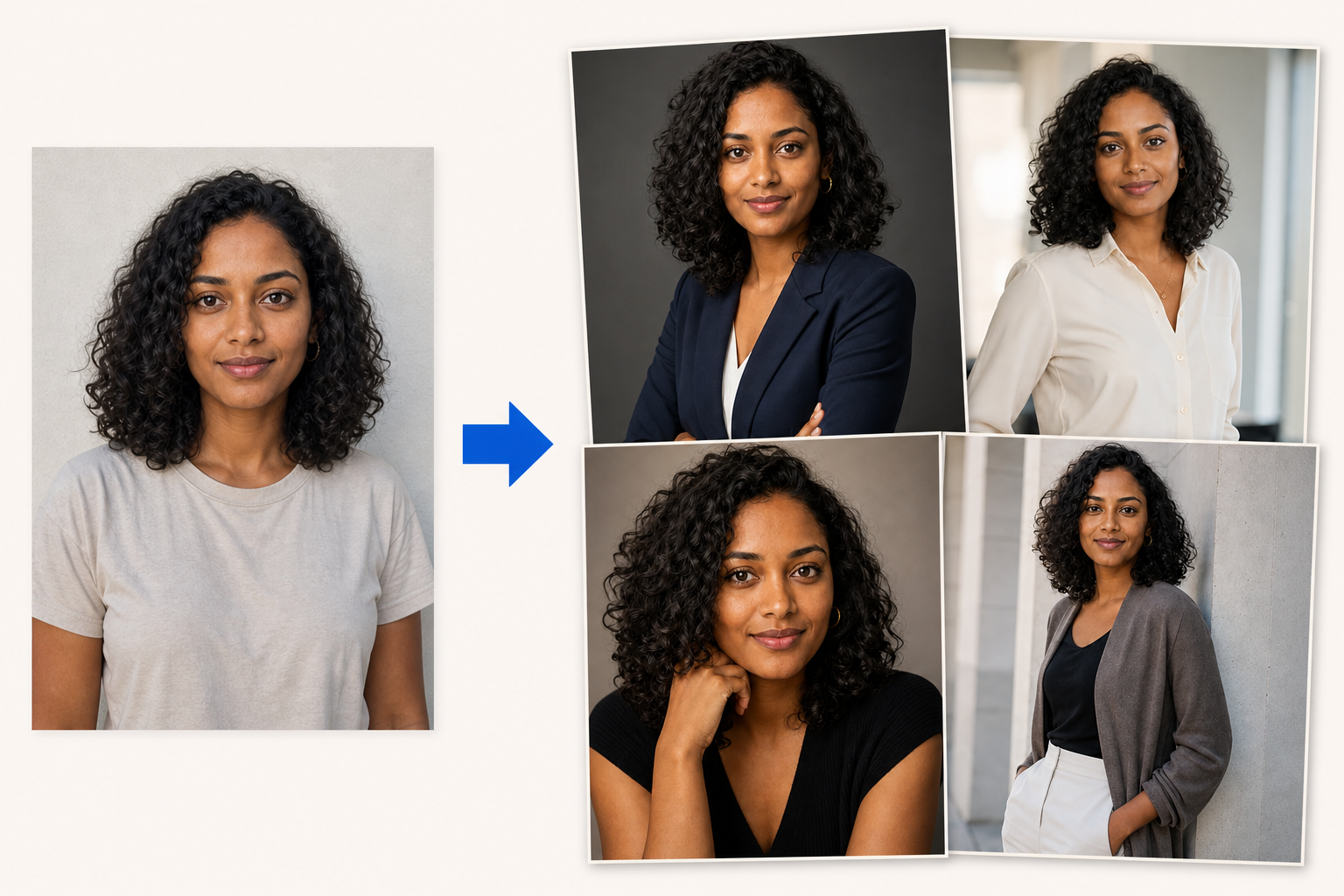
Category-level comparison avoids pretending every product in a category behaves identically. Always verify a provider’s current plan and privacy terms before purchasing.
| What matters | GenBlink packs | General generator | Headshot specialist | DIY / open model |
|---|---|---|---|---|
| Starting point | One clear portrait | Text, images, or both | Usually several selfies | Model, UI, prompts, and images |
| Creative direction | Curated pack + optional note | You write the direction | Professional styles | Fully configurable |
| Batch shape | Choose 3–50 photos | Usually iterative | Bundled headshot delivery | Whatever you configure |
| Main learning curve | Low | Prompting and editing | Low | Technical setup |
| Billing logic | 1 credit per successful photo | Plan or generation allowance | Package purchase | Compute, API, or license |
| Best fit | Lifestyle variety with a guided flow | Open-ended creation and edits | Professional profile photos | Maximum control and repeatability |
One portrait is fast. Multiple selfies may provide more identity information. Neither removes the normal variability of AI output.
Packs reduce prompt work. General tools make you the art director. DIY systems let you build the entire production line.
A headshot service can be excellent at one job. A broad image editor may do more, but requires more decisions.
Look beyond sticker price: consider failed generations, reruns, subscriptions, and whether unused value expires.
Review retention, download formats, deletion controls, and whether the service’s privacy model fits your portrait.
Photo AI combines personal AI-model creation, prompts, photo packs, editing, and video features in a larger creative workspace.
Read the full comparison → GenBlink or HeadshotPro?HeadshotPro centers its experience on professional headshots for individuals and teams, using uploaded selfies and selected styles.
Read the full comparison → GenBlink or ChatGPT Images?ChatGPT can create images, work from an uploaded image, and revise an idea through conversation or selected-area editing.
Read the full comparison → GenBlink or Midjourney?Midjourney's prompts, image prompts, and visual-reference controls suit creators who enjoy shaping the aesthetic themselves.
Read the full comparison → GenBlink or Canva?Canva places AI image tools inside a wider visual-design workspace for social posts, presentations, marketing assets, and layouts.
Read the full comparison → GenBlink or Stable Diffusion?The Stable Diffusion ecosystem supports configurable generation, editing, image-to-image, APIs, and self-managed workflows.
Read the full comparison →Browse the collection before you upload anything.
Explore 15 packs →